
WOONO-폰트매니저(ICS)1.4.0 - Google Play
You'll be able to see results in few seconds.
Publisher Description
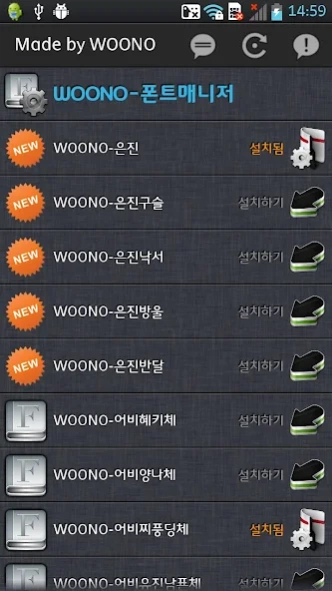

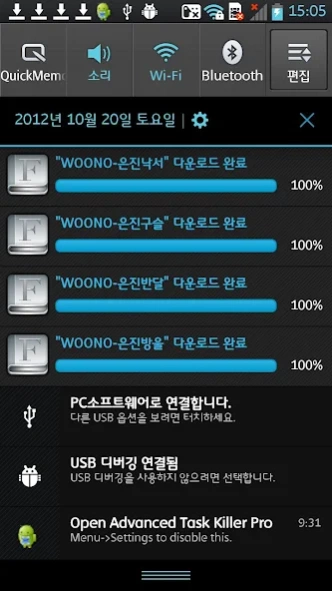
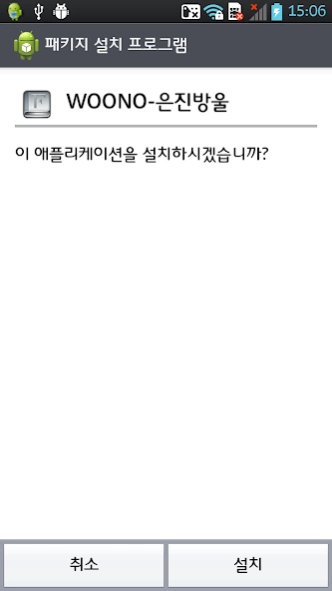
Enjoy millions of the latest Android apps, games, music, movies, TV, books, magazines & more. Anytime, anywhere, across your devices.
Jelly can not be used properly updated when bean.
Whether the first device, whether the devices are not supported when you run the update
Please try must be checked.
Check if the device is supported, please install.
1. Only supports LG ICS devices.
2. Only available ICS version (you must have the software of the phone are sure to upgrade to the ICS.)
3. Make sure your device is supported.
Supported Devices list
- Optimus LTE (ICS)
- Optimus LTE II (ICS)
- Optimus VU (ICS)
- Optimus PRADA (ICS)
- Optimus LTE Tag (ICS)
- Optimus Black (ICS)
- Optimus 2X (ICS)
- Optimus 3D CUBE (ICS)
- Optimus 3D (ICS)
- Optimus Big (ICS)
※ Custom Rom and third-party product does not support.
The Gingerbread version does not support.
Fonts for the Optimus can directly download and install.
The font list is updated frequently with the self-updating feature.
Other fonts installed on the phone can also be easily removed.
Bakkusi do not have the fonts from the settings can be immediately applied.
Using this program you can easily install and remove "free fonts".
About WOONO-폰트매니저(ICS)
The company that develops WOONO-폰트매니저(ICS) is woono. The latest version released by its developer is 1.4.0.
To install WOONO-폰트매니저(ICS) on your Android device, just click the green Continue To App button above to start the installation process. The app is listed on our website since 2013-01-10 and was downloaded 0 times. We have already checked if the download link is safe, however for your own protection we recommend that you scan the downloaded app with your antivirus. Your antivirus may detect the WOONO-폰트매니저(ICS) as malware as malware if the download link to com.woono.util.wfontmanager is broken.
How to install WOONO-폰트매니저(ICS) on your Android device:
- Click on the Continue To App button on our website. This will redirect you to Google Play.
- Once the WOONO-폰트매니저(ICS) is shown in the Google Play listing of your Android device, you can start its download and installation. Tap on the Install button located below the search bar and to the right of the app icon.
- A pop-up window with the permissions required by WOONO-폰트매니저(ICS) will be shown. Click on Accept to continue the process.
- WOONO-폰트매니저(ICS) will be downloaded onto your device, displaying a progress. Once the download completes, the installation will start and you'll get a notification after the installation is finished.
Program Details
System requirements
Download information
Pricing
Version History
version 1.4.0
posted on 2013-01-10
▶ 2013-01-11
* W-Font Manager v1.4.0 Release
* 저해상도 기기에서 폰트 다운로드 항목 잘림 현상 해결
▶ 2013-01-10
* W-Font Manager v1.3.9 Release
* 일부 오래된 폰트가 신규 폰트로 표시되는 문제 해결
* 일부 기기에서 처음 시작할 경우 기기체크 하지 않는 문제 해결
▶ 2013-01-10
* W-Font Manager v1.3.8 Release
* 신규 폰트 추가 : 10종
-WOONO-홍도르체
-WOONO-류은진체
-WOONO-단이체
-WOONO-어비현듀체
-WOONO-어비봉식이체
-WOONO-어비하뉴이체
-WOONO-어비혜몽체
-WOONO-어비조커체
-WOONO-어비푸딩체
-WOONO-어비퀸제이체
Disclaimer
Official Google Play Link
We do not host WOONO-폰트매니저(ICS) on our servers. We did not scan it for viruses, adware, spyware or other type of malware. This app is hosted by Google and passed their terms and conditions to be listed there. We recommend caution when installing it.
The Google Play link for WOONO-폰트매니저(ICS) is provided to you by apps112.com without any warranties, representations or guarantees of any kind, so access it at your own risk.
If you have questions regarding this particular app contact the publisher directly. For questions about the functionalities of apps112.com contact us.
